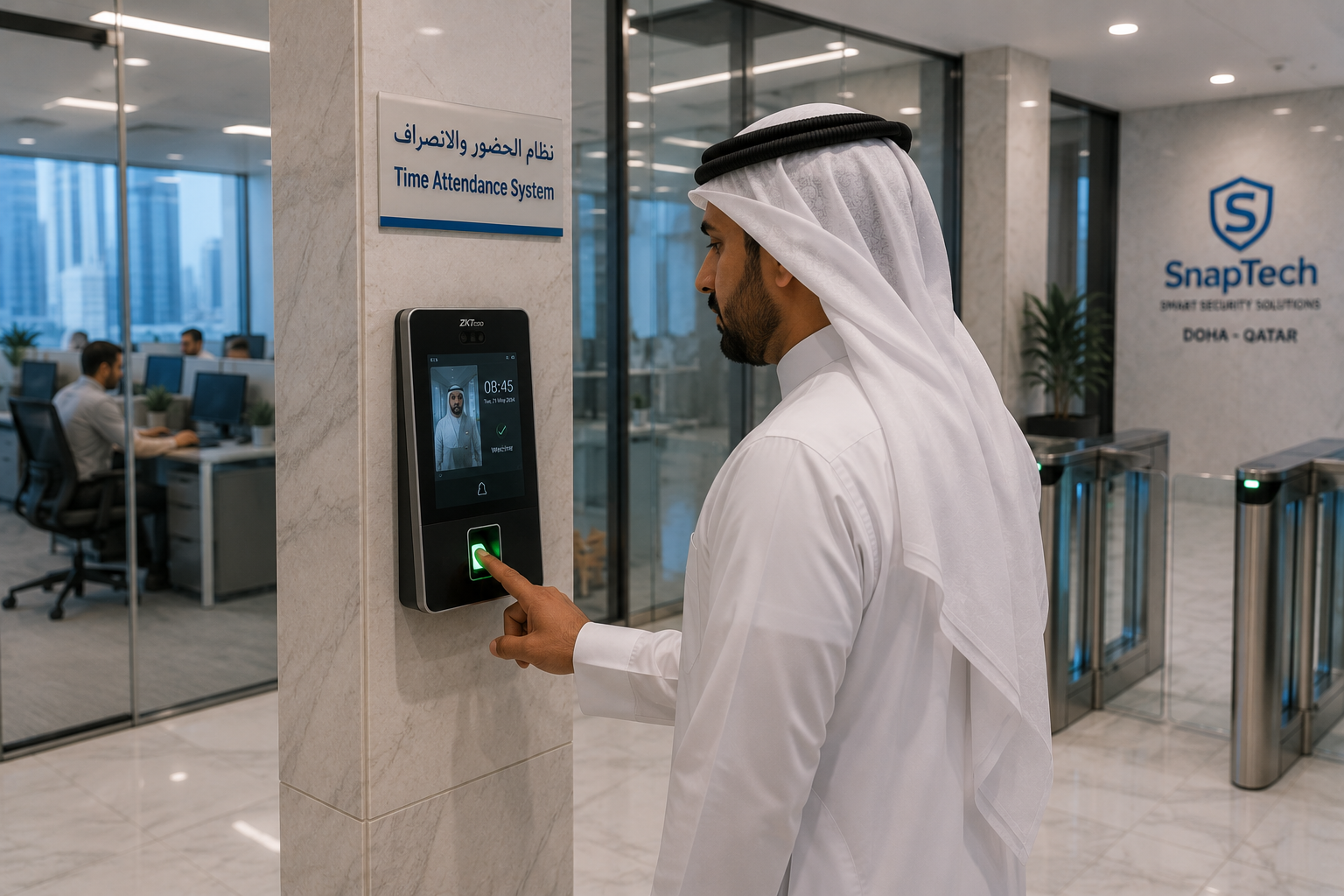
Controlling who can enter your premises is one of the most important aspects of modern business security. Traditional keys and locks can provide basic protection, but modern organizations increasingly need smarter, more flexible, and traceable access control systems.
For businesses in Qatar, access control can help secure offices, warehouses, retail stores, hotels, residential buildings, schools, industrial facilities, and other commercial environments.
At SnapTech, we design and integrate access control solutions based on the security requirements, size, workforce, and operational needs of each organization.
What Is an Access Control System?
An access control system determines who is authorized to enter a specific location, when they can enter, and which areas they are permitted to access.
Instead of relying only on physical keys, modern systems can use:
- RFID cards
- Proximity cards
- PIN codes
- Fingerprints
- Facial recognition
- Mobile credentials
- Smart locks
- QR codes
- Multi-factor authentication
Access permissions can be managed centrally, allowing administrators to add users, remove access, define schedules, and monitor access activity.
Why Do Businesses in Qatar Need Access Control?
Modern businesses often have multiple departments, employees, visitors, contractors, and restricted areas.
A properly implemented access control system can help organizations:
1. Improve Security
Restrict access to authorized personnel and reduce the risk of unauthorized entry.
2. Control Different Areas
Employees don't necessarily need access to every part of a facility. Access control allows organizations to create different permissions for different users.
For example:
Reception → All employees
Server Room → IT team only
Finance Department → Authorized finance staff
Management Area → Management personnel
3. Maintain Access Records
Modern systems can maintain records of access events, including users, locations, and timestamps.
4. Manage Employee Access
When employees join, change departments, or leave the organization, their access permissions can be updated accordingly.
5. Improve Operational Efficiency
Automated access control reduces the need to manage physical keys and manual entry processes.
Types of Access Control Systems
Different businesses have different security requirements. Some common access control technologies include:
RFID & Proximity Card Access
Employees use an RFID or proximity card to gain entry.
These systems are popular for offices, commercial buildings, warehouses, and educational institutions.
Advantages:
- Easy to use
- Quick authentication
- Simple user management
- Easy to issue and replace cards
PIN-Based Access
Users enter a unique PIN on a keypad to gain access.
PIN-based systems can be suitable for smaller offices, restricted rooms, storage areas, and other controlled environments.
Fingerprint Access Control
Fingerprint-based biometric systems authenticate users based on their fingerprint.
They can eliminate the need for physical access cards and provide a convenient method of employee authentication.
Facial Recognition
Facial recognition systems use biometric technology to identify authorized individuals.
They can provide a touchless access experience and are particularly useful for organizations looking for more advanced authentication methods.
Mobile Access Control
Employees can use smartphones as digital credentials instead of physical access cards.
Depending on the system, authentication may use Bluetooth, NFC, QR codes, or mobile applications.
Smart Digital Locks
Digital locks can combine several authentication methods, including:
- PIN
- Fingerprint
- RFID card
- Mobile application
- Physical key backup
They are suitable for offices, hotel rooms, residential properties, meeting rooms, and restricted areas.
Access Control and Time Attendance
Access control systems can also be integrated with employee time attendance systems.
For example, when an employee authenticates at an entry terminal, the system can record:
Employee → Authentication → Entry Time → Location
This information can then be used for attendance and workforce management, depending on the organization's requirements and applicable policies.
Access Control Integration With CCTV
One of the most useful approaches is integrating access control with CCTV.
For example:
Employee scans RFID card
↓
Access control verifies authorization
↓
Door unlocks
↓
CCTV records the event
This provides security teams with both access information and visual context.
Integrated systems can be particularly useful for sensitive areas such as server rooms, warehouses, financial departments, and restricted facilities.
Visitor Management Integration
Businesses can also connect access control with visitor management systems.
A typical process could be:
Visitor Registration
↓
Identity Verification
↓
Visitor Badge / QR Code
↓
Authorized Access
↓
CCTV Monitoring
↓
Visitor Exit
This creates a more organized and traceable visitor experience while reducing manual processes at reception.
Access Control for Different Industries
Offices
Control employee access to entrances, departments, meeting rooms, server rooms, and other restricted areas.
Retail
Protect stock rooms, offices, cash handling areas, and other sensitive locations.
Hotels
Use digital locks and access credentials for guest rooms, staff areas, and restricted facilities.
Warehouses
Control access to inventory areas, loading zones, storage facilities, and operational areas.
Schools
Manage access to administrative areas, staff rooms, laboratories, and designated restricted zones.
Healthcare
Protect sensitive areas while managing access for staff and authorized personnel.
Industrial Facilities
Control employee and contractor access to operational areas, equipment rooms, warehouses, and restricted zones.
Residential & Commercial Buildings
Manage resident, employee, visitor, and service-provider access across entrances and common areas.
How to Choose the Right Access Control System
Choosing an access control system should be based on your organization's actual security and operational requirements.
1. Number of Users
A small office with 20 employees will have different requirements from a commercial facility with hundreds or thousands of users.
2. Security Requirements
Consider whether you need basic card access or advanced biometric authentication.
3. Number of Access Points
Determine how many doors, entrances, gates, rooms, and restricted areas need to be controlled.
4. Authentication Method
Choose between:
- RFID
- PIN
- Fingerprint
- Facial recognition
- Mobile credentials
- Multi-factor authentication
The appropriate method depends on the environment, security requirements, convenience, and organizational policies.
5. Integration Requirements
Consider whether the access control system needs to integrate with:
- CCTV
- Time attendance
- Visitor management
- Parking systems
- Digital locks
- HR systems
- ERP
- CRM
- Building management systems
6. Scalability
Choose a solution that can support additional users, doors, branches, and locations as your organization grows.
7. Remote Management
For organizations with multiple locations, centralized management and secure remote administration can significantly simplify access control operations.
Why Professional Installation Matters
Installing an access control system involves more than mounting a reader beside a door.
Professional implementation should consider:
- Door type and locking mechanism
- Reader positioning
- Network infrastructure
- Power requirements
- Emergency access requirements
- User management
- Security configuration
- System integration
- Backup and recovery
- Future expansion
Proper planning helps ensure that the system is reliable and works effectively within the organization's existing infrastructure.
SnapTech Access Control Solutions in Qatar
SnapTech provides access control and integrated security solutions for businesses across Qatar.
Our solutions can include:
- RFID & proximity access
- Fingerprint biometric systems
- Facial recognition
- PIN-based access
- Mobile access
- Smart digital locks
- Time attendance integration
- Visitor management
- CCTV integration
- Multi-location access management
- Centralized monitoring
- Technical support and maintenance
We help businesses identify the right combination of technology based on their security requirements, facility size, number of users, access points, and future growth plans.
Secure Access. Smarter Business.
Modern access control is about more than keeping doors locked. It provides organizations with greater control over their facilities, users, and security infrastructure.
Whether you need access control for a corporate office, retail store, warehouse, hotel, school, commercial building, or industrial facility, choosing the right system can improve both security and operational efficiency.
Looking for access control systems in Qatar?
Talk to SnapTech about designing a solution for your organization.
SnapTech — Innovate. Integrate. Elevate.
WhatsApp: +974 4450 4979
Email: info@snaptechqa.com
Location: Doha, State of Qatar