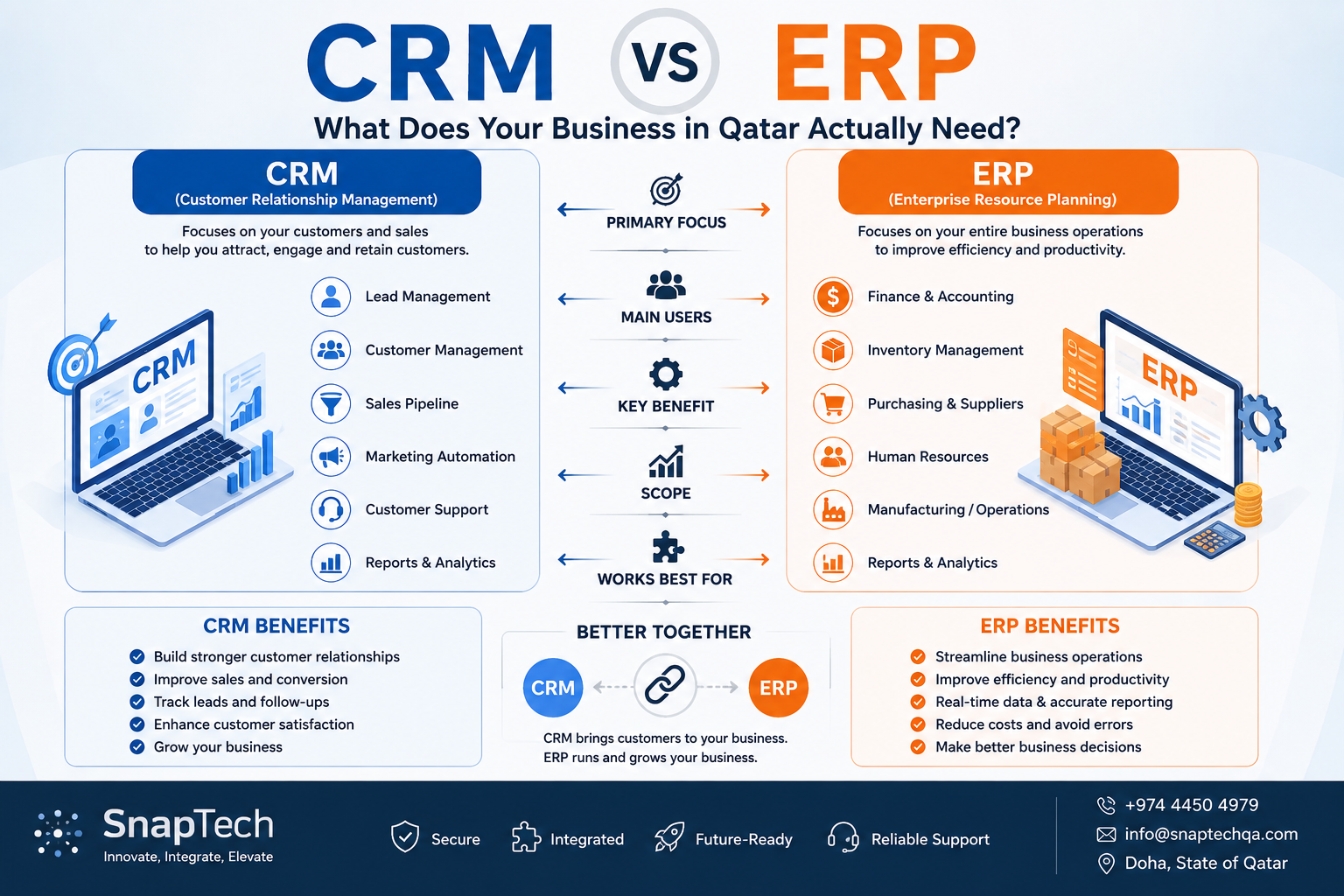
Businesses in Qatar are increasingly adopting digital systems to manage customers, sales, finance, inventory, employees, and day-to-day operations. Two of the most common business platforms are CRM (Customer Relationship Management) and ERP (Enterprise Resource Planning).
Although they can work together, they solve different problems.
A CRM primarily helps you manage customers and grow sales, while an ERP helps you manage and connect your broader business operations.
For businesses in Qatar, choosing between CRM and ERP depends on the size of the organization, operational complexity, industry, number of users, and future growth plans.
What Is a CRM?
A Customer Relationship Management (CRM) system is designed primarily to manage interactions with customers and prospects.
It gives sales and customer-facing teams a centralized view of leads, customers, opportunities, communications, and follow-ups.
Typical CRM Features
- Lead management
- Customer management
- Sales pipeline
- Follow-ups and reminders
- Quotations
- Customer communication
- Marketing campaigns
- Customer support
- Sales reports
- Performance dashboards
- Contact history
- Task management
Example
Imagine a real estate company in Doha.
A potential customer submits an enquiry through the website.
The CRM can:
Website enquiry → Lead created → Salesperson assigned → Follow-up → Property presentation → Negotiation → Deal closed
The sales team can see the entire customer journey in one system.
What Is an ERP?
An Enterprise Resource Planning (ERP) system manages broader business operations and connects different departments through a centralized platform.
An ERP can combine information from:
- Finance
- Sales
- Inventory
- Purchasing
- HR
- Payroll
- Manufacturing
- Projects
- Operations
- Customers
- Suppliers
Example
Consider a retail business with several stores.
A customer purchases a product.
The ERP can connect:
Sales → Inventory → Payment → Invoice → Stock Update → Accounting → Reporting
Instead of each department maintaining separate information, the ERP creates a connected operational environment.
CRM vs ERP: What's the Difference?
| CRM | ERP |
|---|---|
| Focuses on customers and sales | Focuses on the entire business |
| Lead management | Finance & accounting |
| Customer relationships | Inventory |
| Sales pipeline | Purchasing |
| Marketing | HR & payroll |
| Customer support | Manufacturing |
| Sales forecasting | Supply chain |
| Customer analytics | Business operations |
| Improves customer acquisition | Improves operational efficiency |
In simple terms:
CRM = Manage Customers & Sales
ERP = Manage Business Operations
Does Your Business Need a CRM?
A CRM may be the right choice if your primary challenge is managing customers and sales.
Consider a CRM if:
- Your sales team manages many leads.
- Customer information is spread across spreadsheets and messaging apps.
- Follow-ups are being missed.
- You need a structured sales pipeline.
- Management wants better visibility into sales performance.
- You want to track customer communication.
- Your business depends heavily on lead generation.
- You want to automate sales and marketing activities.
Industries That Can Benefit From CRM
CRM solutions can be particularly useful for:
- Real estate
- B2B services
- Education
- Healthcare
- Hospitality
- Professional services
- Insurance
- Retail
- Automotive
- Travel and tourism
Does Your Business Need an ERP?
ERP becomes more relevant when the challenge extends beyond customer management.
Consider an ERP if you need to manage:
- Inventory
- Purchasing
- Suppliers
- Finance
- Employees
- Payroll
- Sales
- Warehouses
- Manufacturing
- Multiple branches
- Projects
- Business operations
For example, a growing distribution company may need to manage:
Supplier → Purchase Order → Warehouse → Inventory → Sales Order → Delivery → Invoice → Payment → Accounting
A CRM alone would not normally provide this complete operational picture.
Can You Use CRM and ERP Together?
Absolutely.
In fact, many growing businesses benefit from integrating both.
A typical architecture could look like:
CRM
Leads → Customers → Opportunities → Sales
↓
ERP
Orders → Inventory → Procurement → Finance → Operations
↓
Analytics
Business Intelligence → Reports → Management Dashboard
This allows the CRM to manage the customer relationship while the ERP manages the operational side of the business.
CRM vs ERP for Different Businesses in Qatar
Small Service Business
For a small consultancy, marketing agency, or professional service company:
CRM may be enough initially.
You may primarily need leads, customers, follow-ups, quotations, and sales management.
Retail Business
A retailer may require both customer management and operational management.
ERP: Inventory, purchasing, sales, suppliers, finance
CRM: Customer profiles, loyalty, campaigns, communication
E-commerce Business
An e-commerce business may benefit from both systems.
CRM: Customers, marketing, abandoned carts, campaigns and support
ERP: Inventory, purchasing, orders, fulfilment, finance and suppliers
Real Estate Company
CRM is often the starting point.
CRM: Leads, properties, viewings, follow-ups, agents and deals
An ERP can be added when the organization needs broader financial, HR, project, or operational management.
Manufacturing Company
ERP is generally more important because manufacturing involves multiple interconnected operational processes.
ERP: Production, inventory, purchasing, finance, supply chain and HR
CRM can complement it by managing customers and sales.
CRM or ERP: Which Should You Implement First?
The answer depends on your biggest business problem.
If your biggest problem is:
"We are losing leads and missing customer follow-ups."
Start with a CRM.
If your biggest problem is:
"We don't know our inventory, purchasing and financial position."
Consider an ERP.
If your problem is:
"Different departments use disconnected systems."
An integrated ERP may be more appropriate.
If your business has both problems:
Consider implementing CRM + ERP integration.
Custom CRM & ERP Development in Qatar
Every business operates differently. Off-the-shelf platforms can provide a wide range of functionality, but some organizations require workflows and integrations that are specific to their operations.
A custom solution can be designed around:
- Your business processes
- User roles
- Approval workflows
- Industry requirements
- Existing systems
- Reporting requirements
- Customer journey
- Inventory processes
- Finance workflows
- Third-party integrations
This allows businesses to build a system around their operations instead of changing their processes to fit generic software.
Why Integration Matters
The real value comes when your systems can communicate with each other.
For example:
Website
↓
CRM
↓
Sales Order
↓
ERP
↓
Inventory
↓
Finance
↓
Management Dashboard
This eliminates unnecessary duplicate data entry and provides management with a more consistent view of the business.
What Should You Choose?
There is no universal answer.
| Your Requirement | Recommended Solution |
|---|---|
| Manage leads | CRM |
| Track customers | CRM |
| Manage sales pipeline | CRM |
| Automate follow-ups | CRM |
| Manage customer support | CRM |
| Manage inventory | ERP |
| Manage purchasing | ERP |
| Manage finance | ERP |
| Manage HR & payroll | ERP |
| Manage manufacturing | ERP |
| Manage multiple business operations | ERP |
| Connect customers with operations | CRM + ERP |
The important question isn't simply "CRM or ERP?"
The better question is:
"What part of my business needs to become more organized, automated, and connected?"
SnapTech CRM & ERP Development Solutions
SnapTech develops customized CRM and ERP solutions for businesses in Qatar.
Our solutions can be designed to help organizations manage customers, sales, operations, inventory, finance, employees, and other core business processes through connected digital platforms.
Whether you need a CRM for sales management, an ERP for business operations, or an integrated CRM + ERP ecosystem, we can design and develop a solution around your requirements.
Build a Smarter Business with SnapTech
Innovate. Integrate. Elevate.
WhatsApp: +974 4450 4979
Email: info@snaptechqa.com
Location: Doha, State of Qatar